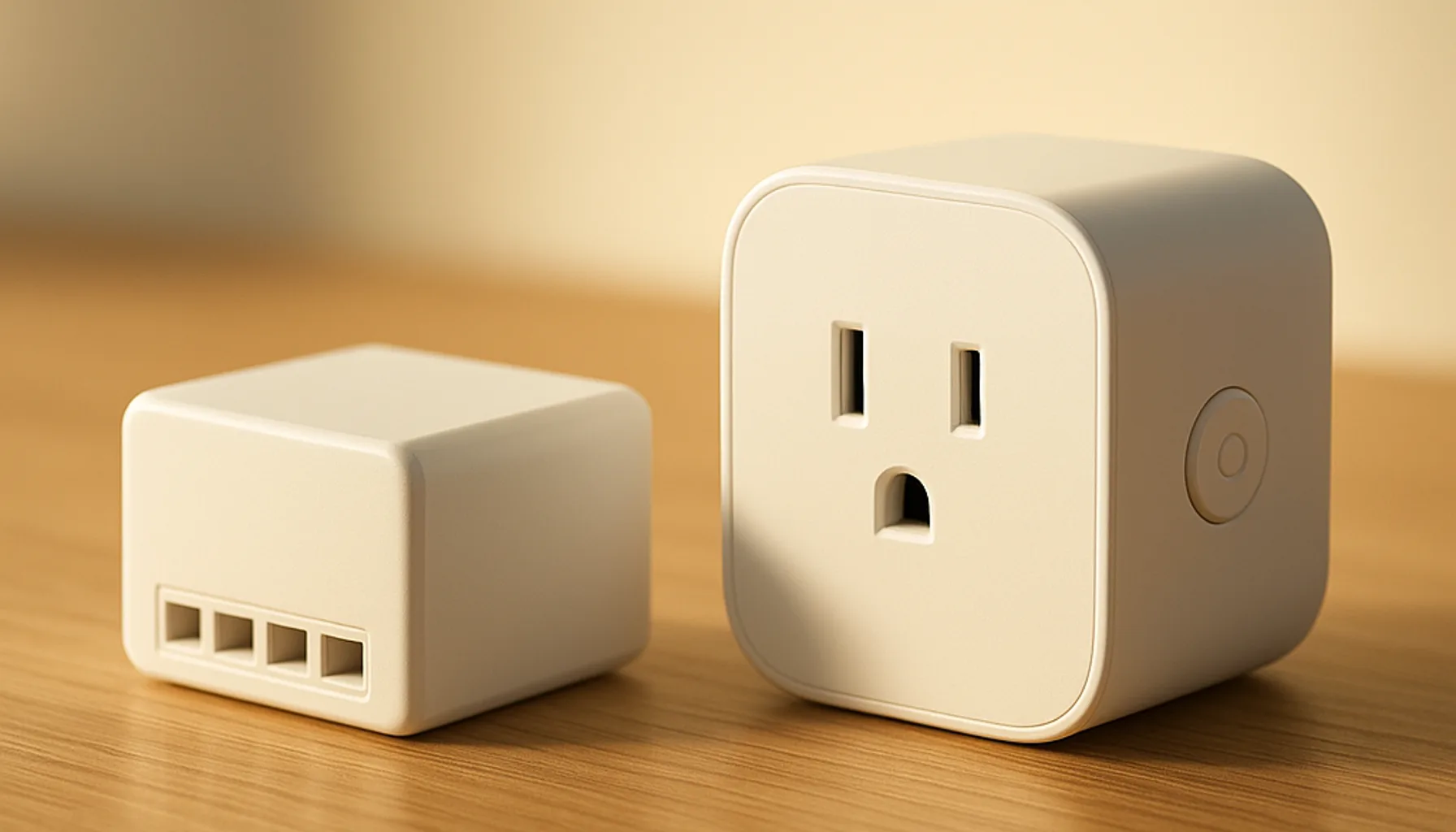
Short answer: both devices do the same job — switching power from Home Assistant — but they sit in a different place in the chain. If the light you want to control is wired into the wall (a ceiling lamp on a wall switch), you want a relay module behind that switch: the SONOFF ZBMINI-L2. If it plugs into a socket (floor lamp, heater, Christmas tree), you want a smart plug with power monitoring: the SONOFF S60ZBTPF. Buying the wrong one is the most common mistake in a first Zigbee order, and it is an easy one to avoid.
The plain-terms version
Think of the two devices as two places to put a switch.
A relay is a small module — roughly the size of a matchbox — that you wire in behind your existing wall switch, in series with the light. Your old switch keeps working as a switch, and Home Assistant gets a second way to turn the same light on. Once the cover is back on, you cannot see it.
A smart plug is the simpler idea: you put it between the socket and the appliance. Whatever you plug into it becomes switchable, and nothing in the wall changes at all. Unplug it and the room is exactly as it was before.
That is the whole difference in one sentence: a relay changes the wiring, a plug changes the plug.
What we run at home
Our own network is 46 Zigbee devices on Zigbee2MQTT, with a Sonoff ZBDongle-E as coordinator, and the S60ZBTPF plugs do daily work here — the washing-machine and heater automations in this house run through them, and they double as Zigbee routers in the two rooms where the mesh is thinnest. That is real-home experience, and it is why I am comfortable recommending the plug.
The relay is the part where I have to be straight with you: we have not installed the ZBMINI-L2 in our own wall box yet. Everything below about the relay comes from the SONOFF specification, the Zigbee2MQTT device page and the wiring reports of people who did install it. The deeper buying comparison for no-neutral switch boxes lives in our no-neutral switch guide.
Side by side
| Relay (ZBMINI-L2) | Smart plug (S60ZBTPF) | |
|---|---|---|
| Where it lives | behind the wall switch | in the socket |
| What it switches | the circuit it is wired to | whatever you plug in |
| Your wall switch | keeps working | untouched |
| Neutral wire needed | no (this is the no-neutral version) | not applicable |
| Energy monitoring | no | yes |
| Acts as Zigbee router | yes | yes |
| Installation | screwdriver, mains voltage | none |
| Price band, 23-11-2026 | €15–40 | under €15 (DE/NL), €15–40 (UK) |
Two rows decide most purchases. Installation is the honest one: the plug is a two-minute job with no risk; the relay means working inside a switch box with the power off, and if you are unsure about that, you stop and call an electrician. Energy monitoring is the other: only the plug measures what the appliance actually draws, which is what makes washing-machine and heater automations possible in the first place.
Where the relay wins
- Ceiling lights. A plug cannot help you here. If the light is on a wall switch, the relay is the only Zigbee option that keeps that switch usable.
- Nothing on show. No box in the socket, no cable across the floor, no “why is there a plug in the middle of the room”.
- The switch still works. Guests, family and your own muscle memory behave exactly as before; the automation is an extra layer, not a replacement.
- One box, one device. With a relay you don’t lose a socket, which matters in a small kitchen.
The catch: it is a mains-voltage job. In an older European installation the box may have no neutral wire, which is exactly why the L2 exists — but it also means you are working with wiring, not just with an app.
Where the plug wins
- Lamps, heaters, fans, the Christmas tree. Anything with a plug is a plug job.
- You can take it with you. Move house, unplug it, done. Nothing to undo.
- It measures power. The S60ZBTPF reports watts, which turns “the washing machine has finished” and “the heater has been on for two hours” from guesses into automations.
- It strengthens the mesh. A mains-powered Zigbee device is a router; a battery sensor is not.
- No tools, no risk. This is the device you can hand to someone who has never touched a fuse box.
The catch: it is visible, it occupies a socket, and a 16 A appliance with a high startup current (a big heater, a welder) is worth checking against the plug’s rating before you trust it.
What I would buy first
If you are starting out, buy one plug first. It costs less, it installs in two minutes, it gives you a power sensor for free, and it teaches you whether your Zigbee network is solid before you spend an evening with a screwdriver. The S60ZBTPF is the one we run.
Buy the relay when — and only when — the thing you want to control has no plug: the ceiling light in the hallway, the light over the kitchen counter, the outside lamp that is wired into the wall. That is a different job, and no amount of plug shopping solves it.
One warning that saves money: do not buy four relays for four rooms before you have installed one. Open one switch box first, photograph the wiring and check whether there is a neutral. In a house from the 1970s the answer is often no, and that answer decides which module you need.
Verdict
Relay for the wiring, plug for the socket. The ZBMINI-L2 is the right module when the light sits behind a wall switch and you want to keep that switch; the S60ZBTPF is the right buy for anything with a plug, and it is the cheaper, safer first step into Zigbee switching. They are not alternatives — most homes that get serious about this end up with both, and the order in which you buy them barely matters as long as the device matches the thing you want to switch.
If your box has no neutral and you want the full module comparison, read the no-neutral switch guide. If your problem is a lamp and you also want to know what it costs to run, the smart plug shortlist is the next page.