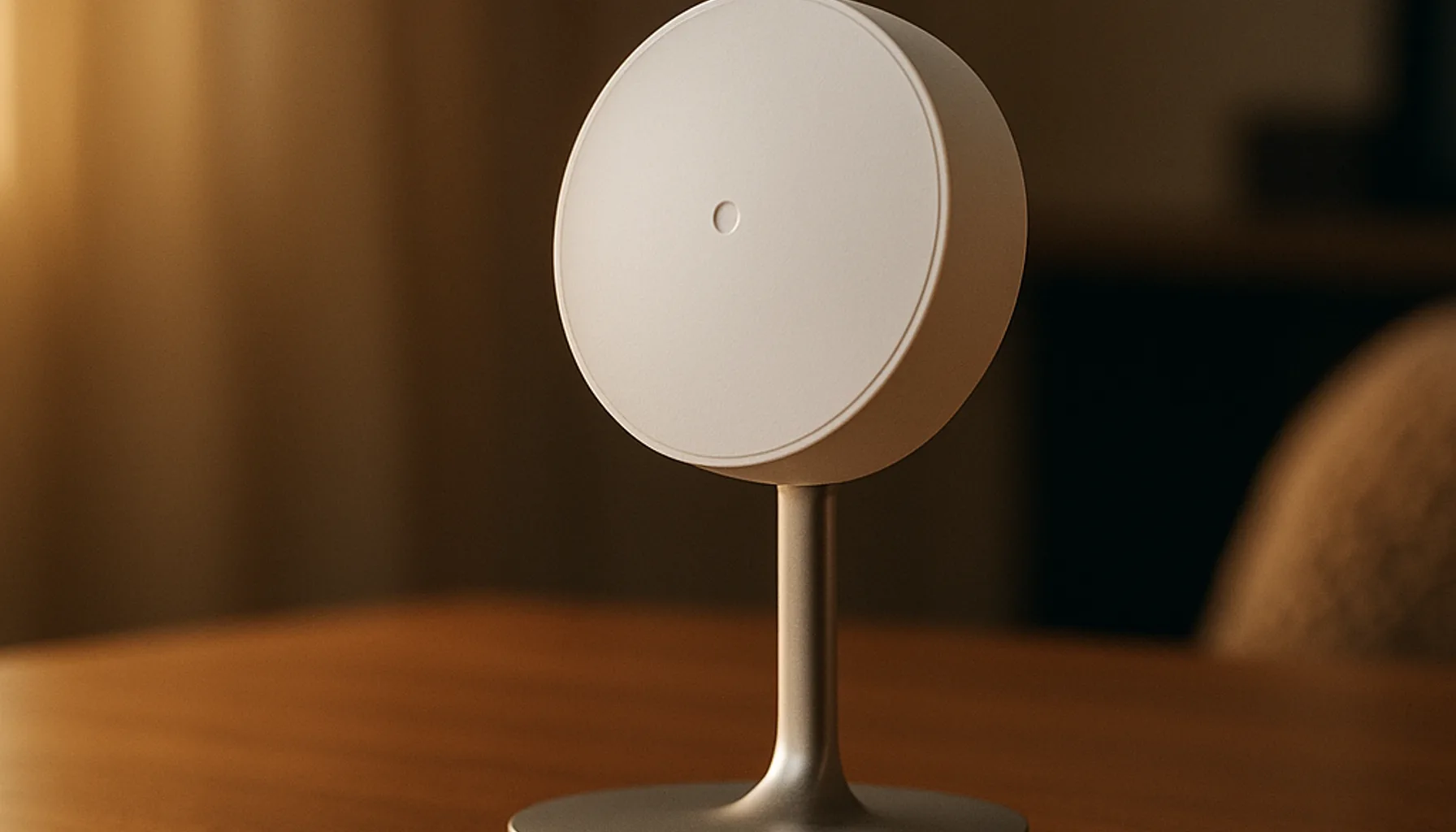
Short answer: for a room where people actually sit still — home office, living-room sofa, bathroom — the best presence sensor for Home Assistant in 2026 is the Aqara Presence Sensor FP2. It is a 60 GHz mmWave radar that keeps the room reported as occupied while you type, read or shower, detects people and motion independently across up to 30 zones, and costs roughly €65–90. The catch, and it’s a real one: it needs USB/mains power (a battery is not an option), and out of the box it will false-trigger on fans and airflow until you tune it. The skeptic’s one-liner: buy the FP2 if your spot has power and you’re willing to spend an evening configuring zones — otherwise pick a PIR and accept the 60-second timeouts. Honesty note up front: we recommend the FP2 on spec sheet, verified marketplace history, and consistent community reports — we have not logged our own 24/7 test on this exact model yet (same stance as our motion sensor guide). You’ll get the full transparency section below, not a “trust me”.
Why a PIR stops being enough in 2026
Before the shortlist, the problem this category actually solves. A PIR motion sensor detects movement — a change in infrared radiation. Sit completely still at a desk and, after its 30–90 second window, the room reports “unoccupied” even though you’re sitting in it. That’s physics, not a firmware bug. Result: office lights that switch off while you type, bathroom lights that die mid-shower, and HVAC that “helpfully” turns itself down.
An mmWave presence sensor bounces radar waves off the room and picks up micro-movements — breathing, typing, posture shifts. That means “occupied” stays true while you’re still. That one difference is the entire reason this category exists in 2026, and it’s the difference the FP2 delivers on paper: 60 GHz radar, individual human detection, per-zone presence with custom zones drawn in the app, and it tracks multiple people independently. It also does things PIR never can — zone-based fall detection, for example, which is why it’s marketed as a “fall detection” sensor too.
The trade-offs are the same for the whole mmWave class, and the FP2 has them all: it needs wired USB-C power (continuous radar draw; no battery model of the FP2 exists), it costs 3–4× a PIR, and it needs placement + sensitivity tuning. What you’re paying for is one question answered better than any PIR: “is a human actually here?”
Best presence sensor: Aqara Presence Sensor FP2
The FP2 (model no. AB01, “Presence Sensor FP2”) is the current-generation Aqara mmWave, and on the 2026 shortlist it is the one to beat. On Amazon UK — same EU listing on DE/NL, sold by Aqara Official, verified available 28-10 — it runs €65–90 and combines the features that matter:
- 60 GHz mmWave radar with individual human detection and multi-person tracking (up to 5 people in a zone).
- Up to 30 configurable zones — define presence areas in the app, e.g. “desk” as occupied and “window” ignored so the curtain doesn’t false-trigger it.
- Zone-based fall detection — per-zone fall alerts for rooms where a fall matters (eldercare, single-person households).
- Optional PIR backup + light sensor on board, so it can keep presence across a sudden radar blind-spot (e.g. shower steam) and it doubles as a lux sensor.
- Home Assistant integration — officially HomeKit (local via HomeKit Controller), and community-confirmed local API/mqtt paths; Alexa/Google/SmartThings support too.
Spec sheet and ~thousands of aggregated marketplace reviews line up on the strengths: reliable occupancy while sitting still, fast room-entry detection, and genuinely useful zone customization. What reviews also line up on — and this is the part the marketing skips — is covered in the caveats below. Our standing rule on this site is “tested in a real home” and we will not stretch it: the FP2 verdict here is informed-by-spec-and-community, not tested-by-us, and we say exactly what that means in the transparency section.
The honest alternatives in 2026
With the honest frame that only the FP2 is verified on EU Amazon at the time of writing, the rest of the mmWave shortlist from our PIR vs mmWave guide is:
| Sensor | Type | Why consider it | Price (approx.) |
|---|---|---|---|
| Aqara FP2 (our pick) | mmWave 60 GHz, Wi-Fi/USB-C | Zones, multi-person, fall detection, local HA via HomeKit | €65–90 |
| Aqara FP1E | mmWave, Zigbee | Simple single-area presence on Zigbee mesh, no Wi-Fi, cheaper | €35–47 |
| Aqara FP300 | mmWave + PIR hybrid, battery | Only battery option from Aqara — shorter battery life, power-saving hybrid | €60–90 |
| SONOFF SNZB-06P24 | mmWave 24 GHz, Zigbee | Cheapest open Zigbee2MQTT/ZHA path, configurable clusters | ~€25 |
| Everything Presence One | mmWave + PIR, ESPHome | Fully local-first, open, community firmware, one-box sensor suite | ~€50–70 |
Street prices from 2026-10-09 research; they move, especially around Black Friday. The FP1E and SNZB-06P24 are the better picks if you refuse Wi-Fi sensors or want everything on your Zigbee mesh; the FP300 is the only honest answer to “it must run on battery” — with the asterisk that battery + radar is a compromise. Everything Presence One wins for the tinkerer who wants everything local and repairable.
Why not just a PIR? If the room is a hallway, stairs or utility room — pass-through traffic — a €19 PIR (our pick: Aqara Motion Sensor P1) is the right tool and half the setup fuss. You don’t need a €70 radar to learn that someone walked past. This guide is for the rooms where “still human” is the actual question.
What we run and how the FP2 fits
The transparency part, because this is where the honest verdict lives. Our own network is 46 Zigbee devices on a Sonoff ZBDongle-E coordinator, running Zigbee2MQTT on Home Assistant — a documented, real-home setup. For pass-through spaces we run PIR-style motion detection daily and are happy with it.
What we cannot yet claim — and won’t — is that the FP2 has been in our home 24/7. We keep that line hard. What we can say from the paper trail: the FP2 is the most consistently recommended mmWave presence sensor across the 2026 Home Assistant community, its marketplace history (EU listing, Aqara Official, thousands of reviews across markets) is stable, and its local-HA path (HomeKit Controller) is a well-documented community integration with no cloud account requirement after setup. Treat our confidence as informed-by-research, not tested-by-us — we’ll update this guide the moment we have real-home data.
The honest caveats
- It needs power. No battery option. The FP2 ships with a USB-C cable and expects a plug near the sensor. If your spot has no outlet, look at the FP300 (battery, with the trade-offs) or drop to a PIR.
- False positives are the #1 complaint. Fans, HVAC airflow, moving curtains and (sometimes) pets trigger it. Every standalone review roundup we checked flags this; the fix is mounting away from airflow and starting with conservative sensitivity, then tuning zones. Expect to spend an evening on it.
- It’s Wi-Fi, not Zigbee. The FP2 joins Wi-Fi, not your Zigbee mesh. If you run a strict “everything on Zigbee” stack, it’s the odd one out; FP1E or SNZB-06P24 fit that philosophy better.
- “Fall detection” is zone-dependent and not a medical device. It can raise a fall alert per zone, but false negatives exist and it’s not certified for clinical use. Treat it as a nice-to-have, not a safety system.
- Privacy marketing cuts both ways. Radar, not camera — good. But it does continuously measure the room, and it’s owned by a Chinese IoT company; your comfort level is yours. Local-home users should check the integration path before buying, not after.
- We haven’t long-run tested this exact model. As above: informed-by-research here, tested-by-us only for the rest of the stack in this guide.
Bottom line
Buy the Aqara Presence Sensor FP2 (UK / DE / NL, same listing, Aqara Official) if you need a room to know a person is there while they sit still — office, sofa, bathroom — and you can get power to it. It’s the best 2026 balance of zones, multi-person detection, fall detection and a local Home Assistant path. If it must be battery or everything-on-Zigbee, be honest about those two constraints and pick FP300/FP1E/SNZB-06P24 instead; if the room is pass-through, save the €70 and grab a P1. And whichever you choose: mount it away from airflow, start sensitive-low, tune up, and pair it on a solid coordinator — the sensor is only as good as the network behind it.
Prices and availability checked 2026-10-30. Commissions are earned from qualifying purchases — see our affiliate disclosure.