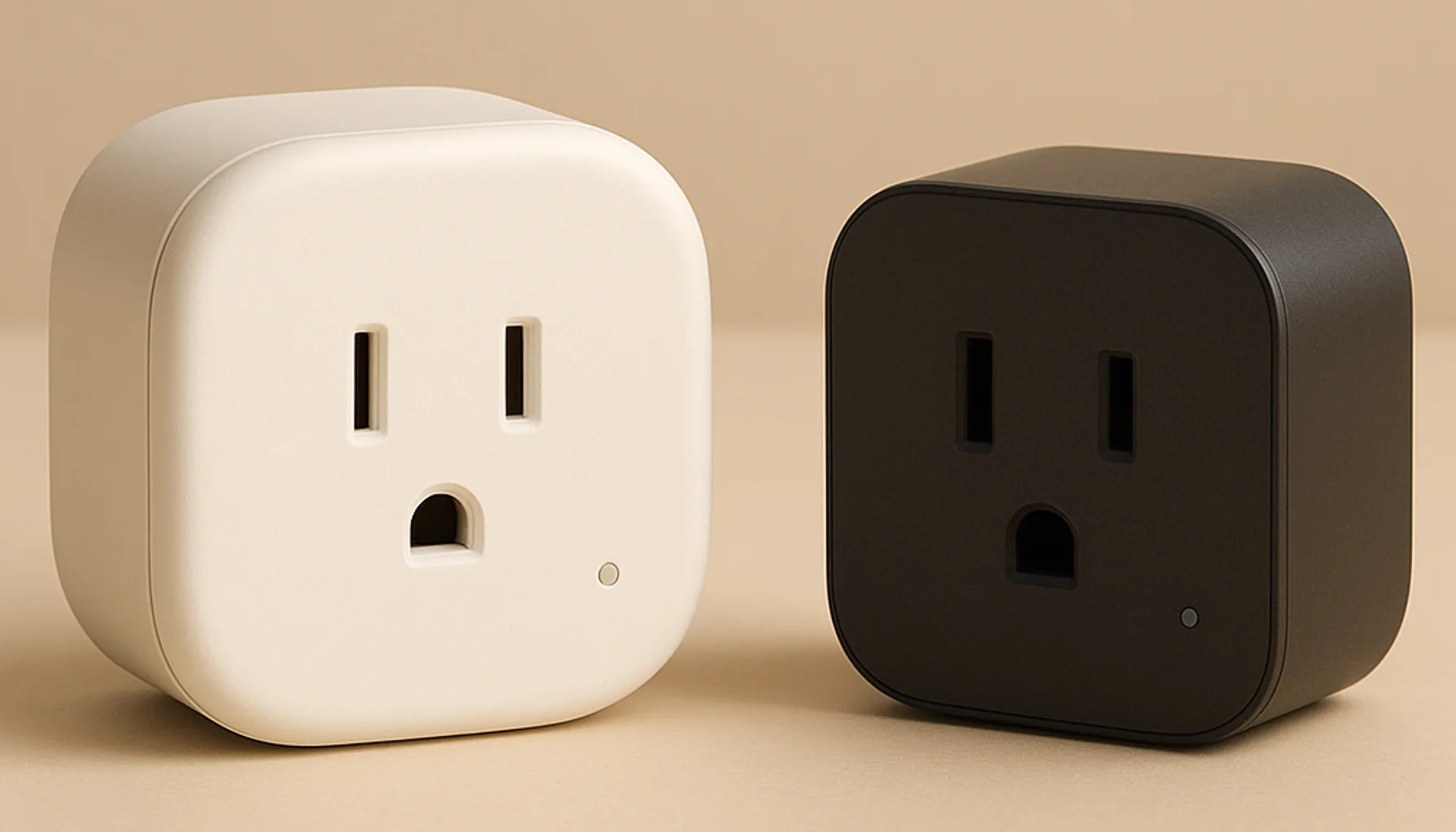
Short answer: if you’re building a Home Assistant home, buy the Zigbee plug — our pick is the Sonoff S60ZBTPF. In plain terms: a Zigbee plug talks to your local coordinator, so it keeps working when the internet drops, it doubles as a mesh repeater that helps every sensor near it, and it never adds to Wi-Fi congestion. A Wi-Fi plug (TP-Link Tapo/Kasa, Shelly and friends) is cheaper and needs no extra hub — a genuinely fine choice if you’re not running a smart-home hub at all. But the moment you already run Zigbee, a Wi-Fi plug is the weakest link in the room: every one of them is another device shouting on your Wi-Fi, and many depend on a cloud or app that can vanish. More on the trade-offs below.
What the difference actually is
Let’s keep it simple. A Wi-Fi smart plug is a tiny computer that connects straight to your router, exactly like your phone — over your 2.4 GHz Wi-Fi network. You control it through the brand’s app, and often through a cloud server that sits between you and the plug.
A Zigbee plug doesn’t talk to your router at all. It talks over a separate low-power radio (802.15.4) to a small coordinator — a USB dongle or hub that plugs into your home server. That’s the whole architecture difference. Think of it as a separate, quieter street for your smart devices instead of adding more cars to the same road your Wi-Fi already uses.
This distinction drives almost everything else: where the “brain” lives (local vs cloud), whether the plug helps or hurts your network, and what you need before you buy one.
Why we lean Zigbee for Home Assistant
Three practical reasons, in the order they’ll matter to you:
- It works when the internet doesn’t. A Zigbee plug is controlled locally by Home Assistant through the coordinator. Pressing a button on your dashboard doesn’t need a round trip to someone’s cloud. Wi-Fi plugs from big brands can work locally (latest firmware, app onboarding, sometimes a local API), but it’s never a given — many fall back to “unavailable” the moment the internet blinks.
- It’s a repeater for free. Every mains-powered Zigbee device repeats the mesh. A plug in a hallway often fixes a dead sensor in the next room — same radio, same routing, zero extra setup. We use this constantly; our Zigbee range guide is basically a playbook for it.
- It keeps Wi-Fi clean. Your router and Wi-Fi radio handle a limited number of devices gracefully. Every Wi-Fi plug adds a chatty client to a band that’s already shared with laptops, TVs and phones. Battery sensors don’t care; Wi-Fi does.
The honest flip side: Zigbee needs a coordinator (we run and recommend the Sonoff ZBDongle-E with Zigbee2MQTT) and, for most people, a bit of setup. If you already have a hub or dongle, the marginal cost of adding Zigbee plugs is basically zero.
When a Wi-Fi plug still makes sense
Be fair to the other side. A Wi-Fi plug is often the right answer when:
- You don’t run a hub at all. No Home Assistant, no Zigbee dongle, no interest. Then a Tapo/Kasa-style plug with a decent app genuinely is the easiest smart home you can buy. Zero gateways, five-minute setup.
- Price per plug matters most. Wi-Fi plugs undercut Zigbee ones, and on a random Amazon deal the gap grows. If you’re plugging in four lamps and only care that they switch on/off from an app, the Wi-Fi plug is the rational buy.
- You want Matter-over-Wi-Fi. Newer Matter-certified plugs promise local control without a vendor cloud. That’s real progress — though in practice you still need a Matter controller, and results vary more than the Zigbee path in our experience.
Words of caution either way: “app control” is not “automation”. Once you want lights that react to sensors, schedules that survive a reinstall, or a dashboard that isn’t a brand app, the Wi-Fi plug’s simplicity starts costing you.
What we run and why
Our network is 46 Zigbee devices on a Sonoff ZBDongle-E coordinator, running Zigbee2MQTT on Home Assistant. Around the house, a dozen mains-powered plugs act as both switches and mesh routers — including the Sonoff S60ZBTPF, which we picked as our best smart plug after comparing five. It’s Zigbee 3.0, it repeats the mesh, and the built-in energy monitoring feeds our Home Assistant energy tracking every month. We run exactly zero Wi-Fi plugs on the Zigbee side of the house.
That’s not brand loyalty — it’s the architecture. Every Zigbee plug we add makes the network stronger; every Wi-Fi plug would make the Wi-Fi slightly busier. Given the choice on a fresh install, we’d make the same call again.
The honest caveats
- Zigbee isn’t plug-and-play. You need a coordinator and a moment of setup. If that sentence already sounds like too much, the Wi-Fi plug is honestly for you.
- Firmware is still a thing. Update any plug’s firmware before long-term use — Zigbee included. A plug with old firmware can be flakier than no plug at all.
- Energy monitoring isn’t lab-grade. The S60ZBTPF’s metering is great for trends and monthly totals (that’s what we use it for), not for billing someone by the watt. Wi-Fi plugs with monitoring have the same caveat.
- Cloud outages are real. “It’s in the cloud” sounds modern until the brand’s server has a bad day and your garage lamp won’t toggle. Local-first is the resilient default.
- Both sides can be junk. There are excellent Wi-Fi plugs and terrible Zigbee plugs. Brand and reviews matter more than the radio in the wall.
Bottom line
For Home Assistant: Zigbee plug, specifically the SONOFF S60ZBTPF — local, mesh-boosting, and it meters power for your energy dashboard. For no-hub homes or pure price-per-plug shopping: a Wi-Fi plug is a perfectly honest buy, just know you’re trading resilience and mesh for convenience. The line is simple: if you have (or will get) a Zigbee setup, don’t introduce Wi-Fi plugs into it unless you must. If you don’t, buy the Wi-Fi plug and enjoy it.
Prices and availability checked 2026-10-07. Commissions are earned from qualifying purchases — see our affiliate disclosure.